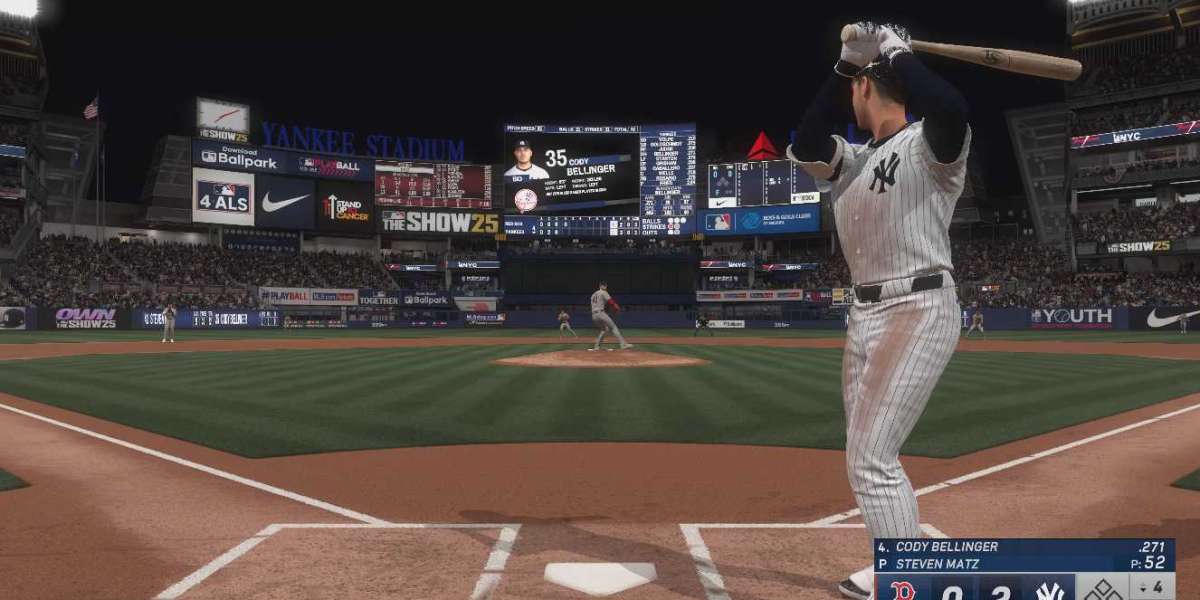

If you're an MLB The Show player who spends a lot of time in Franchise mode, you’ve probably noticed some key changes in MLB The Show 26. The developers have made some notable improvements that aim to make the experience smoother, more enjoyable, and more accessible. Let’s break down what’s different this year, what you can expect, and how it can impact your gameplay.
1. What Are the Key Accessibility Improvements in Franchise Mode?
Franchise mode in MLB The Show 26 offers a deeper and more user-friendly experience than before. While the core of Franchise remains the same—taking control of a team and managing it to success—the accessibility improvements make it easier to navigate menus, keep track of your team, and perform complex tasks with greater ease.
One of the most notable updates is how the menus have been streamlined. In previous versions, switching between screens to check team stats, player progress, or even adjusting your roster could feel clunky. MLB The Show 26 has consolidated certain features, allowing you to toggle through different options without having to exit and re-enter various screens. For example, now you can quickly access contract details, free agent lists, and your team's overall performance from one central location.
2. Does MLB The Show 26 Simplify Roster Management?
Roster management has been improved with more intuitive navigation. In previous years, keeping track of injuries, trades, and call-ups could be time-consuming, especially if you were managing a team with a deep minor league system. MLB The Show 26 allows you to access a comprehensive "Roster Management" screen, where you can easily see the status of players, adjust lineups, and even make quick trade offers.
Also, making trades is more straightforward. You can now get a more transparent view of a player’s contract situation, salary demands, and potential trade value all in one spot. This helps in making quick, informed decisions without having to jump back and forth between several screens. For those who want to simulate seasons quickly, this streamlining is a big win.
3. What About Player Development and Scouting?
Player development and scouting have received a much-needed upgrade. Now, it's easier to track player growth and potential. Previously, scouting could be a bit tedious, with hidden attributes and the inability to quickly see which players are developing well in your minor league system. MLB The Show 26’s improvements let you focus on player growth in a more organized manner.
The new scouting system lets you focus on specific needs, whether you're looking for a future ace pitcher or a power hitter. You can now filter prospects based on their performance, potential, and positional need, which can save a lot of time when it comes to building your team for the future. The development system is also smoother; you’ll see how players are progressing over time and can make better decisions about whether to call them up or continue developing them in the minors.
4. Is Franchise Mode More Accessible for New Players?
For newer players who might find Franchise mode a little overwhelming, MLB The Show 26 introduces optional "simplified" settings that can help. If you’re not familiar with advanced team management mechanics, you can choose to simplify some of the complex tasks. For example, you can toggle the AI to handle minor league development or even automate scouting. This way, new players don’t feel pressured to master every detail right away, and they can focus on the parts of the game they enjoy most.
However, for experienced players, all the old controls and settings are still there. MLB The Show 26 strikes a balance by offering deeper customization for veteran players, while providing an easier experience for those who may just be starting out.
5. How Has the AI Been Improved in Franchise Mode?
Another aspect of Franchise mode that has seen noticeable improvement is the AI. Previously, you might have found that other teams in the league made questionable decisions in terms of trades, free-agent signings, or overall team management. In MLB The Show 26, the AI has been adjusted to make more logical decisions.
For example, AI teams are more likely to seek out players who fill gaps in their roster or make trades that make sense in the context of their team’s needs. This change results in a more realistic franchise experience where the teams you’re competing against don’t just make random moves. This means that when you're planning your next move, you have to think about how other teams might adjust their rosters as well.
The added intelligence also extends to contract negotiations. AI-controlled teams have become smarter in recognizing the value of a player, meaning the trade and free-agent market feels more dynamic. If you’re a player looking to find hidden gems in free agency, this year’s AI can make it trickier to snap up talent for a cheap price, but it also makes the overall market more competitive.
6. Can I Improve My Gameplay with a Little Help from the Community?
While some players might be content to simply focus on the game’s mechanics, others are constantly looking for ways to get ahead. If you’re one of those players, you might be interested in using stubs or other resources to give your team a boost.
You’ve probably heard of stubs before, but in case you haven’t, MLB 26 stubs are the in-game currency that can be used to buy packs, unlock special players, or get other resources. If you’re trying to get some extra stubs, there are certain websites out there that are widely used within the community. Just make sure you stick to trusted sources. For instance, using an MLB 26 stubs safe website ensures that you don’t fall victim to scams or shady websites, which is always important when you’re spending real money.
7. What Are the New Commentary and Broadcast Features?
The commentary and broadcast presentation have also been polished in MLB The Show 26. For players who enjoy the immersive experience of managing a team, the new commentary system adds even more depth. The announcers now make more specific references to your team's performance over the course of a season. For example, they might comment on a hot streak, a slump, or even how your minor league prospects are progressing. It gives the impression that the game world is more alive, and these touches make the overall experience feel more like managing a real MLB team.
Additionally, the broadcast presentation has been enhanced with new camera angles and broadcast-style overlays, making each game feel more like a live TV broadcast. These updates help in creating a more realistic and engaging environment, which will make you feel more connected to your team and the decisions you make throughout the season.
8. How Can I Speed Up My Franchise Mode Experience?
One of the major pain points for many Franchise players is how long it can take to simulate through a season, especially when you're managing multiple teams or running a large-scale rebuild. MLB The Show 26 helps speed up the process by offering more streamlined simulation options. You can now jump through seasons more efficiently by allowing the AI to manage the day-to-day operations while you focus on key decisions like trades, drafts, and player development.
This doesn't mean you have to completely hand over control, but if you want to accelerate your Franchise experience, you can now do so with fewer interruptions.
MLB The Show 26 brings a host of accessibility and gameplay improvements that should appeal to both new players and Franchise veterans alike. Whether you’re looking for better menu navigation, smarter AI, or a more intuitive player development system, the updates in this year’s game make managing your team a more enjoyable and streamlined experience. By implementing these changes, MLB The Show 26 continues to evolve, giving players more options and flexibility than ever before in Franchise mode.